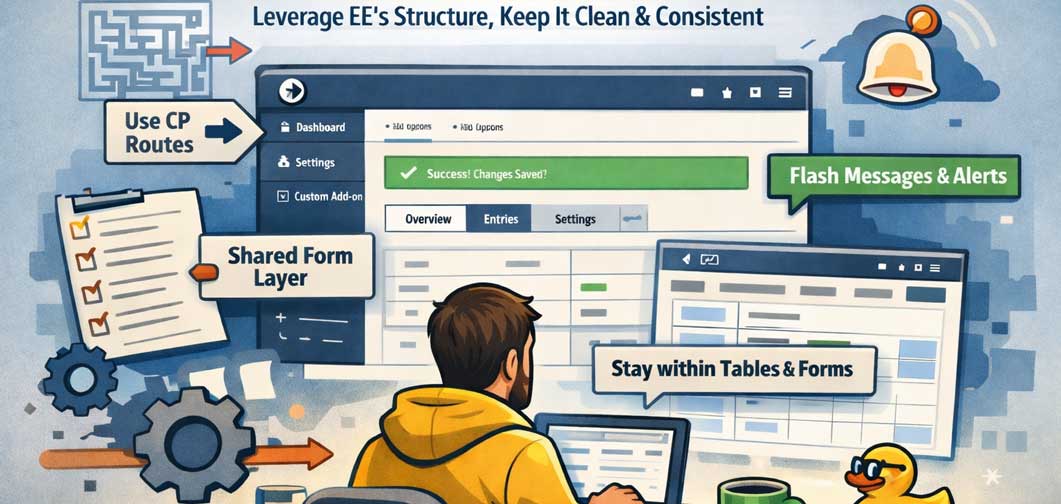
Alright, let’s talk about building inside the ExpressionEngine Control Panel without turning your add-on into a chaotic pile of bespoke UI experiments. I know, we’re developers, and the urge to reinvent everything is strong. But honestly? ExpressionEngine already gives you a lot of structure. Lean into it. Future-you (and anyone else touching your code) will be grateful.
Here are a few practical patterns I keep coming back to when building CP interfaces that feel native, maintainable, and dare I say, pleasant to work with.
Use the CP Routes (Seriously)
If your CP controller logic looks like a maze of conditional statements, it’s probably time to step back and let CP routes do their job.
Routes help you keep intent clear: each action has a defined place, URLs stay predictable, and you avoid the “giant controller of doom” problem. Beyond readability, they also help maintain a mental model of how your UI flows. When someone else opens the project, or when you return to it six months later after forgetting literally everything, the structure still makes sense.
Think of routes as documentation baked into your architecture. Less guesswork, fewer surprises.
Lean Into the Shared Form Layer
I get it. Sometimes the Shared Form layer feels like extra ceremony. But once you start using it consistently, you realize it’s doing a lot of heavy lifting for you.
You can build forms using raw arrays if you want to stay lightweight, or go deeper with a full object-driven approach. Both are valid depending on complexity and need. The key idea is this: let EE handle layout conventions so you’re not manually crafting every input and wrapper from scratch.
Yes, you might end up Googling examples or digging through docs, that’s normal. The Shared Form layer isn’t always obvious at first glance, but it pays dividends in consistency and maintainability.
Also, bonus: when EE updates styling or UI conventions, your add-on doesn’t immediately look like it’s stuck in 2014.
Stay Within the Table + Form Output
This one’s less about rules and more about philosophy.
ExpressionEngine already has a strong visual language inside the Control Panel. Tables, forms, and their associated output patterns give you a consistent look and feel without needing to reinvent UI components.
Could you build a completely custom interface with bespoke markup? Sure. Should you? Probably not unless you have a very good reason. (For example, Dexter (from BoldMinded) has a wonderfully unique UI which is custom tailored and built simply because nothing like it exists. Brian HAD to go custom. Take from that what you will.)
Using the Table object and Shared Form output keeps your UI aligned with the rest of EE. That consistency matters, especially for clients or editors who jump between core features and your add-on. Familiar structure reduces friction, and honestly, it makes your work feel and look more “official.”
Don’t Sleep on the Sidebar
The sidebar isn’t just decorative chrome. It’s one of the most useful tools for structuring navigation and context inside the ExpressionEngine Control Panel.
A well-organized sidebar helps users understand where they are and what actions they can take next. It also keeps your main content area focused instead of cramming navigation into awkward places.
If your add-on has multiple sections, settings pages, or workflows, a sidebar often turns a cluttered interface into something that feels intentional and clean. Think of it as giving your UI a backbone instead of a loose pile of links.
Flash Messages and Alerts Are Your Friends
We’ve all built forms that submit, reload, and then… nothing. No confirmation. No feedback. Just existential uncertainty.
Flash messages fix that.
ExpressionEngine’s alert layer makes it incredibly easy to communicate success, failure, or helpful guidance to the user. And beyond UX benefits, it keeps your messaging consistent with the rest of the Control Panel.
Instead of inventing your own notification system (please don’t), lean on what’s already there. It’s faster, cleaner, and integrates naturally with the platform.
Final Thoughts
One of the strengths of ExpressionEngine has always been its structured approach to building inside the Control Panel. You don’t have to fight the framework to make something polished; most of the tools are already sitting there waiting for you to use them.
Using CP routes, Shared Forms, Tables, sidebars, and the alert layer isn’t about limiting creativity. It’s about giving your add-on a strong foundation so you can focus on solving real problems instead of reimplementing UI patterns EE has already figured out.
And yeah, I know, sometimes we want to go full bespoke because we can. But more often than not, leaning into ExpressionEngine’s existing systems results in cleaner code, happier users, and fewer late-night “why did I build it this way?” moments.
Trust the structure. Trust the tools. They're there for a reason.